Oneleet Agent overview
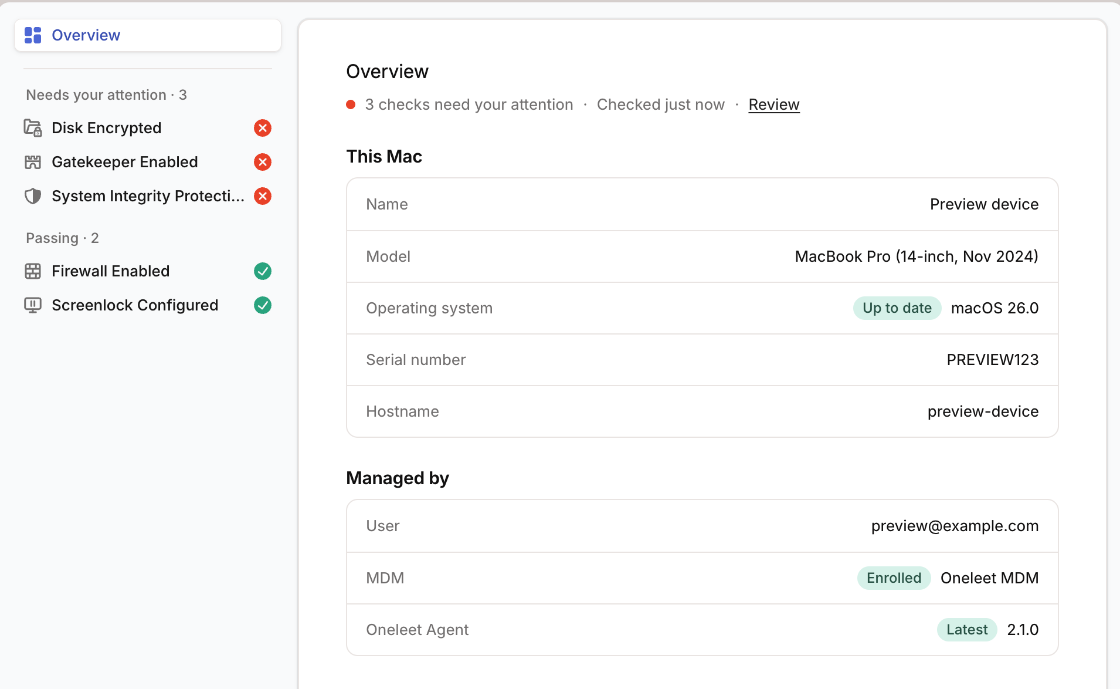
The Oneleet Agent is a small app that checks a computer’s security settings, such as disk encryption, the firewall, and the screen lock. It shows the person using the computer what to fix, and it reports the results to your workspace. It runs on macOS, Windows, and Linux.
The agent is included with Oneleet. It monitors devices and doesn’t manage them. To enforce settings, or to lock and wipe devices, add Oneleet MDM.
What it checks
Section titled “What it checks”| Check | macOS | Windows | Linux |
|---|---|---|---|
| Disk encryption | Yes | Yes | Yes |
| Firewall | Yes | Yes | Yes |
| Screen lock | Yes | Yes | No |
| Gatekeeper | Yes | No | No |
| System Integrity Protection | Yes | No | No |
| Antivirus | No | Yes | No |
Device checks explains what each one requires.
Where results appear
Section titled “Where results appear”- In the agent, the person using the device sees each check and how to fix a failing one.
- In the Oneleet Portal, each person sees their own devices on the Devices page.
- In the Oneleet Dashboard, admins see every device on the Devices page.
Get started
Section titled “Get started”- Add your team on the People page of the Oneleet Dashboard.
- Ask each person to install the agent, or deploy it with your MDM.
- Assign and review devices as they appear on the Devices page.