What employees see
Your company uses Oneleet MDM to manage your work computer’s security settings. A Mac needs a few steps to enroll. A Windows or Linux computer needs nothing beyond the Oneleet Agent.
Enroll your Mac
Section titled “Enroll your Mac”-
Open the Oneleet Portal, go to Devices, and click Download MDM profile in the top right. If you don’t see it, click Install Oneleet Agent and find Download MDM profile at the bottom of the page. Then double-click the downloaded file.

-
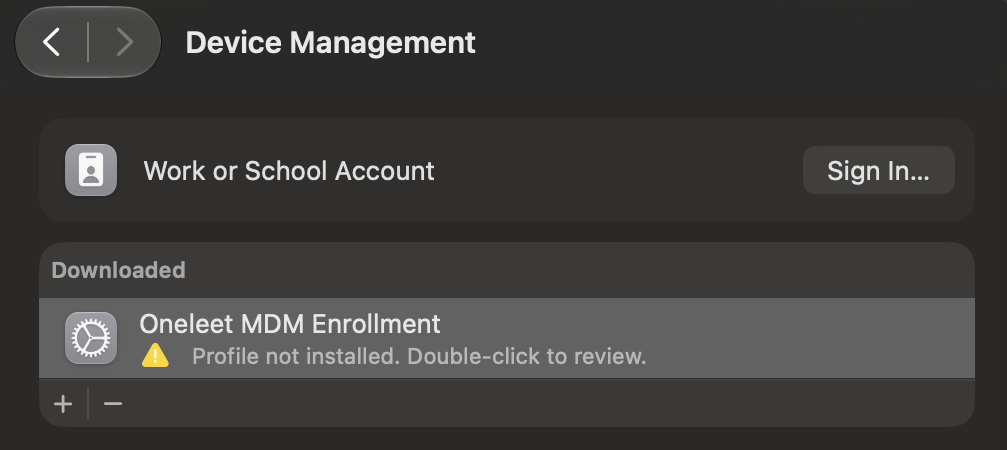
Open System Settings > General > Device Management, or Privacy & Security > Profiles on macOS 13. Under Downloaded, double-click Oneleet MDM Enrollment.
-
Click Enroll (Install on macOS 13), and enter an administrator’s password.
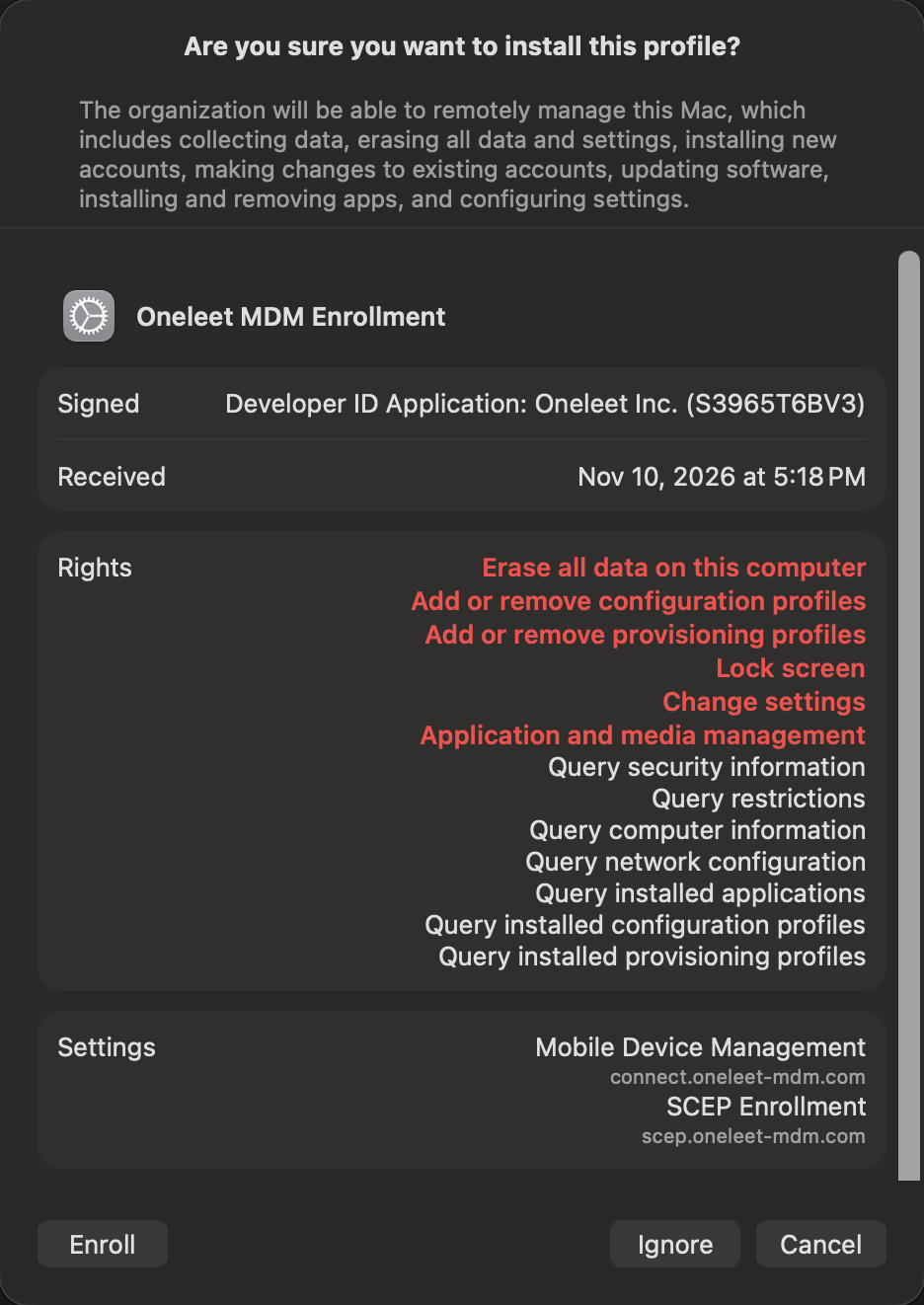
macOS lists everything a management profile allows, including locking and erasing the Mac. What your admins can do covers how your company uses it.
If your Mac is new, you don’t need these steps. A Remote Management screen appears during setup. Continue as usual, and the Mac enrolls on its own.
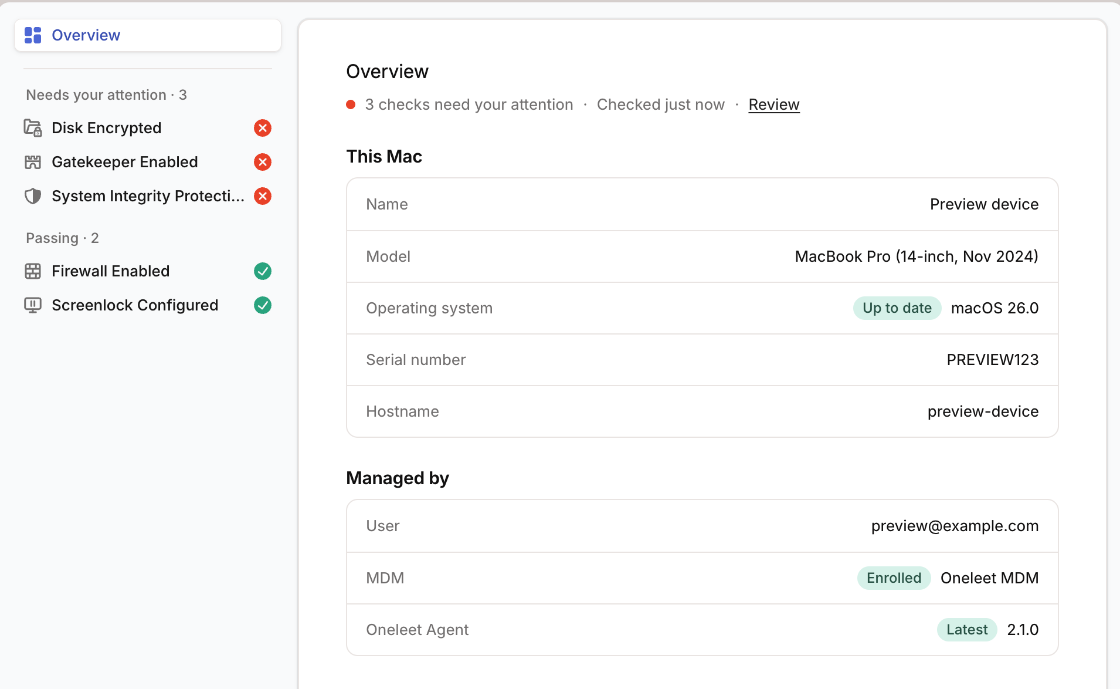
Once your Mac enrolls, it gets the Oneleet Agent automatically, so you don’t need to install it. To check that your Mac is enrolled, open the Oneleet Agent. The MDM row shows Enrolled and Oneleet MDM.
Windows and Linux computers
Section titled “Windows and Linux computers”If you haven’t already, install the Oneleet Agent and connect it. Once it’s connected, it applies your company’s settings. There’s nothing else to install.
What changes on your computer
Section titled “What changes on your computer”- Security settings follow your company’s policy, such as how soon the screen locks. If you change one, it’s changed back.
- Your disk is encrypted with FileVault or BitLocker. On a Mac that isn’t encrypted yet, you’re prompted to turn FileVault on.
- Operating system updates can have a deadline.
- Your company can install applications on your computer.
What your admins can do
Section titled “What your admins can do”Your company’s admins can restart or erase your computer, lock a Mac, and reset a local account’s password. Before a restart, you usually get a message and five minutes to save your work.
Privacy lists what they can see.